
Download Construction Calc – Free Construction Calculator for Windows, macOS, iOS & Android
Overview
Construction Calc is a purpose‑built calculator designed for contractors, tradespeople, architects, and anyone who spends a lot of time working with measurements in inches and feet. Unlike generic calculators, Construction Calc understands construction‑specific math such as fractional inches, angles, and material quantities. Whether you need to add, subtract, multiply, divide, or convert between decimal and fractional units, the app delivers instant, precise results.
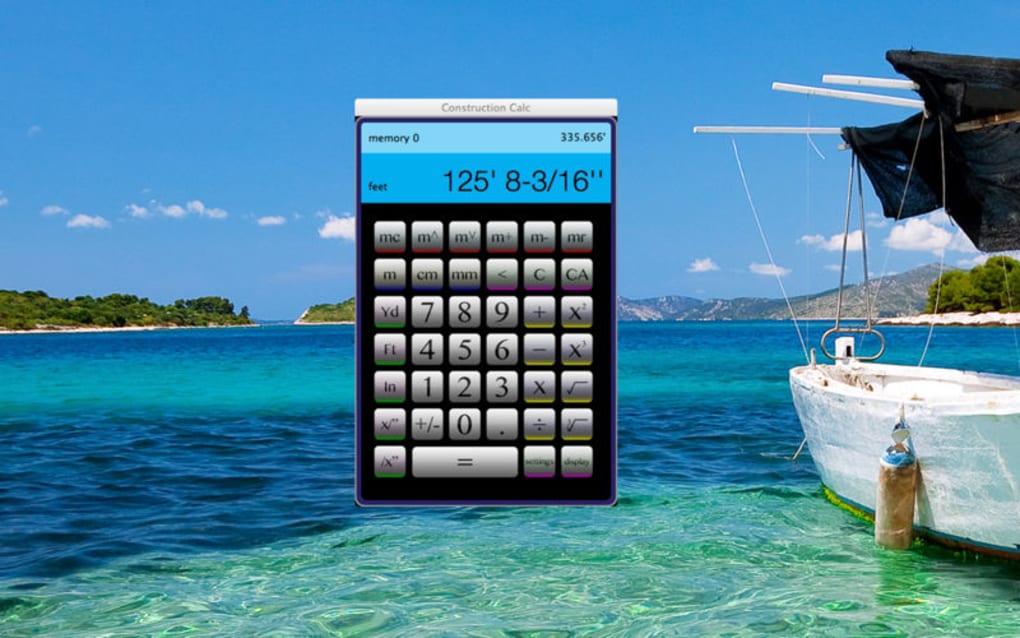
The interface mimics a traditional handheld calculator, so users feel comfortable from the first tap, yet it adds powerful features like automatic rounding to user‑defined precision, least‑common‑denominator reduction, and a full memory suite (add, subtract, recall, clear, set). Because it lives on your smartphone or tablet, you can leave bulky physical calculators at home and still have a reliable tool in the pocket. The app also doubles as a standard calculator for everyday use, making it a versatile addition to any professional’s toolkit.
Beyond simple arithmetic, Construction Calc speeds up material estimations for concrete, drywall, crown moulding, balusters, asphalt, and more. By entering a few dimensions, the app instantly calculates lengths, areas, volumes, and the amount of material needed, helping you avoid costly over‑ordering or under‑ordering. The result is saved time, reduced waste, and a smoother workflow on the job site. Its clean UI, zero‑learning curve, and lack of manuals mean you can start calculating within seconds, whether you’re on a construction site, in the office, or on the go.
Features & Benefits
- Full‑size calculator layout with tactile‑friendly buttons.
- Supports inches, feet, and fractional inches (e.g., 3 ⅜″).
- Automatic rounding to user‑defined decimal places.
- Least common denominator reduction for fractions.
- Memory functions: add, subtract, recall, clear, and set.
- Material estimation modules for concrete, drywall, asphalt, crown moulding, balusters, and more.
- Angle and slope calculations for roofing and decking.
- Unit conversion between metric and imperial systems.
- Offline mode – works without an internet connection.
- Dark mode for low‑light job sites.
Pros
- Construction‑focused calculations: Handles fractions and angles that generic calculators can’t.
- Time‑saving estimations: Instantly computes material quantities, reducing manual spreadsheet work.
- Cross‑platform availability: Works on Windows, macOS, iOS, and Android.
- User‑friendly interface: No manuals or training required.
- Free core version: Powerful features available at no cost.
Cons
- Advanced material libraries (e.g., specific brand densities) are locked behind a premium upgrade.
- No built‑in cloud sync; you must manually back up settings.
- Limited customization of button layout for power users.
Installation & Usage Instructions
Getting started with Construction Calc is straightforward. Follow these steps to download, install, and begin using the app:
- Choose your platform: Visit the official website or your device’s app store (Microsoft Store, Apple App Store, Google Play Store).
- Download the installer: Click “Download Construction Calc” for Windows/macOS or tap “Get” for iOS/Android. The file size is under 20 MB, so it downloads quickly even on slower connections.
- Run the installer: On Windows, double‑click the .exe file and follow the on‑screen prompts. macOS users drag the app to the Applications folder. Mobile users simply tap “Install” and wait for the app to appear on the home screen.
- Launch the application: Open Construction Calc. The first screen displays a familiar calculator layout with a small “Settings” gear icon in the corner.
- Configure preferences: Tap the gear icon to set your default precision (e.g., 2 decimal places), choose between imperial or metric units, and enable dark mode if desired.
- Start calculating: Enter numbers using the on‑screen keypad. To work with fractions, press the “Frac” button; the app will automatically format the entry as a proper fraction. Use the memory buttons (M+, M‑, MR, MC) for cumulative calculations.
- Use material modules: Select “Estimation” from the menu, choose the material type (e.g., concrete), input dimensions, and the app returns the required volume and weight.
- Save or share results: Press the “Export” button to copy the result to the clipboard, email it, or save it as a PDF for client reports.
All settings are stored locally, and the app launches instantly after installation. If you ever need to reset preferences, return to the Settings menu and choose “Restore Defaults.” For troubleshooting, the built‑in “Help” section provides quick answers, and a link to the online support forum is available for more complex issues.
Compatibility & System Requirements
Construction Calc is built with cross‑platform compatibility in mind. It runs natively on the following operating systems:
- Windows 10 or later (64‑bit)
- macOS 10.15 Catalina or later
- iOS 13.0 or later (iPhone & iPad)
- Android 8.0 Oreo or later
The application requires a minimum of 200 MB of free storage and a processor capable of handling basic arithmetic operations (virtually any modern CPU or mobile chipset). For optimal performance on large estimation projects, a device with at least 2 GB of RAM is recommended. Because Construction Calc works offline, no persistent internet connection is needed after the initial download, making it ideal for remote job sites with spotty Wi‑Fi.
Security is a priority: the app is signed with a trusted certificate, and all data remains on the device unless you explicitly export it. No telemetry or personal data is sent to third‑party servers, ensuring a secure environment for sensitive project calculations.
FAQ & Conclusion
Is Construction Calc free or do I need to pay for it?
The core calculator and basic estimation modules are completely free. A premium upgrade unlocks advanced material libraries, cloud backup, and custom button layouts for a one‑time fee.
Can Construction Calc handle metric units?
Yes. In the Settings menu you can switch between imperial (inches/feet) and metric (millimeters/centimeters) units. All calculations, including fractions, will automatically convert to the selected system.
Does the app work without an internet connection?
Absolutely. Once installed, Construction Calc runs fully offline. An internet connection is only required for the initial download or if you choose to sync backups via a cloud service.
How do I export my calculation results?
Tap the “Export” button after a calculation. You can copy the result to the clipboard, email it directly, or generate a PDF that can be saved or printed for client reports.
Is there a way to back up my settings and memory data?
While the free version does not include automatic cloud sync, you can manually export your memory data and settings from the “Backup” section in Settings. Premium users gain one‑click cloud backup to Google Drive, iCloud, or OneDrive.
Construction Calc delivers a specialized, yet intuitive, calculator experience that addresses the unique needs of construction professionals while remaining accessible to anyone who requires precise measurement work. Its free core features, cross‑platform availability, and offline capability make it a reliable companion on any job site. If you’re looking to cut down on manual calculations, reduce material waste, and speed up estimation tasks, this app is worth a download.
Ready to streamline your calculations? Click the download button below to get Construction Calc for your device and start saving time and money today.







